YouTube Live vs Twitch: Which Is Better for Small Streamers in 2026?
You’ve finally decided to become a streamer.
Your gaming setup is ready, your microphone works, you’ve picked a username that hopefully won’t embarrass you in five years, and you’re ready to hit the Go Live button.
There’s just one question.
Should you stream on YouTube or Twitch?
For small gaming creators, choosing the right platform can influence how people discover their content, how they build a community, and eventually, how they earn money.
Both YouTube Live and Twitch offer powerful streaming features, but they approach content discovery and audience engagement differently.
Twitch has a dedicated live-streaming culture built around communities, real-time interaction, and gaming categories.
YouTube combines live streaming with traditional videos, Shorts, search, and recommendations, giving creators different ways to introduce themselves to potential viewers.
So, which is better for small streamers in 2026?
The short answer: YouTube may offer more opportunities to build an audience through different content formats, while Twitch remains an attractive choice for creators who primarily want a live-first gaming community.
But there’s much more to consider before choosing your streaming home.
Let’s break it down.
YouTube Live vs Twitch in 2026: Quick Comparison
Before diving into the details, here’s how the two platforms compare for beginner and small gaming streamers.
Feature | YouTube Live | Twitch |
Main focus | Live streams, videos, Shorts | Primarily live streaming |
Content discovery | Search, recommendations, Shorts and live content | Categories, tags, recommendations and community |
Gaming community | Established gaming audience across several formats | Strong live-focused gaming culture |
Past broadcasts | Eligible streams can remain publicly available | Standard VOD storage generally expires |
Short-form content | YouTube Shorts | Twitch Clips and other discovery features |
Monetization | YouTube Partner Program | Twitch Affiliate and Partner programs |
Starting from zero | Can build through searchable videos and Shorts | Can build through categories, networking and live community |
Best suited for | Creators combining streaming and video production | Creators prioritizing interactive live experiences |
Neither platform guarantees discoverability or revenue.
The better choice depends on your content, how much editing you’re willing to do, and whether your main priority is live interaction or building a wider content library.
- Is YouTube or Twitch Better for Getting Your First Viewers?
Let’s address the question that keeps many beginner streamers awake at night.
Where is it easier to get viewers when nobody knows you?
Imagine you’re streaming Minecraft to an audience of exactly zero people.
You’re building an incredible castle. You’ve survived three Creeper attacks. You’ve even developed a surprisingly emotional attachment to a pixelated chicken.
Unfortunately, no one has discovered your stream.
Both platforms can present this problem, but they provide different discovery opportunities.
How Viewers Discover Small Streamers on Twitch
Twitch is organized heavily around live categories.
Someone interested in Minecraft can browse the Minecraft category and explore currently active streams.
The platform also supports tags and recommendations that help viewers find content relevant to their interests.
According to Twitch’s official guide to categories, creators can select an appropriate game or content category and use descriptive tags to help viewers discover their broadcasts.
This creates a clear environment for gaming audiences.
The challenge is competition.
Popular gaming categories can contain many established broadcasters. Smaller streams may struggle to attract attention among creators with existing audiences.
Choosing a category with fewer competing streams may improve your visibility within that category, but it won’t help much if very few viewers are interested in watching it.
The lesson?
Don’t choose games based only on popularity. Consider what makes your content distinctive and how viewers might find it.
How Viewers Discover Gaming Content on YouTube
YouTube offers several routes to discovery.
People can encounter your content through YouTube Search, recommendations, subscriptions, Shorts, and external links.
For example, someone searching for “Minecraft hardcore survival tips” might discover a tutorial you published last week.
If they enjoy it, they may explore your channel and discover that you also stream Minecraft live.
That’s a useful distinction.
Your YouTube audience doesn’t necessarily have to discover you while you’re live.
A searchable video or entertaining Short can introduce your channel when you’re offline.
However, YouTube doesn’t automatically recommend every upload or stream. Discovery depends on viewer interests, relevance, content performance, and other signals.
Our Verdict on Discoverability
If you enjoy producing gaming videos, Shorts, tutorials, and highlights alongside your streams, YouTube offers several formats through which viewers may discover you.
If you prefer focusing almost entirely on live broadcasts and interacting with people already browsing gaming streams, Twitch offers a dedicated environment for that experience.
For a beginner willing to create additional content, YouTube provides a particularly flexible discovery strategy.
For practical ideas on attracting an audience, explore our guide to 10 Ways to Promote YouTube Videos in 2026.
- YouTube vs Twitch for Small Streamers: What Happens After You End Your Stream?
Here’s one of the most important differences between YouTube Live and Twitch.
What happens to your content after the live broadcast ends?
YouTube: Your Stream Can Become Long-Term Content
YouTube can automatically archive eligible live streams.
According to YouTube’s official live-stream archiving guide, streams shorter than 12 hours can be automatically archived, while longer streams may not be captured.
When you keep a suitable archive public, viewers can watch it after the broadcast ends.
You can also organize videos into playlists, create highlights, and develop related content.
For example, a three-hour Valorant stream might eventually produce:
- A full stream replay.
- A 12-minute compilation of your best matches.
- A tutorial covering one strategy.
- Several short clips featuring impressive or funny moments.
Each video can serve a different viewing preference.
Someone who doesn’t enjoy watching three-hour streams might happily watch your ten-minute highlights.
YouTube’s content ecosystem makes this approach particularly attractive.
Twitch: VODs and Clips Have Different Roles
Twitch also supports recorded broadcasts, Highlights, and Clips.
However, its standard past-broadcast storage has time limits.
According to Twitch’s official VOD documentation, standard VOD retention is generally:
Twitch account type | Past broadcast storage |
Regular broadcaster | 7 days |
Twitch Affiliate | 14 days |
Twitch Partner, Prime or Turbo | 60 days |
Creators can download recordings, save eligible highlights, and repurpose content elsewhere.
Twitch is not exclusively about the live moment, but YouTube is generally more convenient for building a channel around a lasting library of long-form gaming videos.
Our Verdict on Content Longevity
YouTube is the stronger fit if you want your streams to become part of a searchable collection of videos.
Twitch can still work very well when your main objective is getting people together for the live experience.
- Twitch vs YouTube Monetization: Which Is Better for Beginners?
Making money from streaming sounds exciting.
After all, getting paid to play video games has a certain appeal.
Unfortunately, buying a gaming chair doesn’t automatically turn your hobby into a profitable career.
Both platforms offer monetization opportunities, but their eligibility requirements differ.
Twitch Affiliate Requirements in 2026
According to Twitch’s Affiliate Program FAQ, the current qualification requirements include:
- Reach 25 followers.
- Stream for at least 4 hours.
- Stream on 4 different days.
- Reach an average of 3 viewers on 4 different streaming days.
The requirements must be satisfied within the applicable 30-day qualification period.
Qualifying creators can receive an invitation to join the Affiliate Program, complete onboarding, and access eligible monetization features.
Twitch offers creator revenue opportunities that include subscriptions and other forms of audience support, subject to applicable eligibility and program terms.
For someone already attracting a small, engaged live audience, the Affiliate Program can provide a relatively accessible route toward platform monetization.
YouTube Partner Program Requirements in 2026
YouTube’s Partner Program has different thresholds depending on the monetization features and the creator’s country.
Under the expanded YouTube Partner Program, eligible creators can gain earlier access to certain fan-funding features when they reach:
- 500 subscribers.
- 3 public uploads in the previous 90 days.
- Either 3,000 valid public watch hours in 365 days or 3 million valid public Shorts views in 90 days.
For the standard advertising revenue-sharing threshold, the main requirements are:
- 1,000 subscribers.
- Either 4,000 valid public watch hours in 365 days or 10 million valid public Shorts views in 90 days.
These requirements are detailed in YouTube’s official monetization documentation.
Meeting the numerical thresholds doesn’t automatically guarantee acceptance. Creators must also satisfy YouTube’s policies and other eligibility conditions.
Which Platform Is Easier to Monetize?
If you’re comparing only the initial numerical thresholds for entry into certain monetization features, Twitch Affiliate generally has lower requirements than YouTube’s standard advertising revenue-sharing program.
However, lower thresholds don’t guarantee meaningful income.
A Twitch creator with a small number of paying subscribers may earn less than a YouTuber generating revenue across videos, advertising, memberships, or other channels.
Actual income depends on audience size, engagement, monetization features, viewer behavior, and other factors.
Our verdict: Twitch has an attractive entry-level Affiliate pathway. YouTube offers multiple monetization opportunities across different video formats once a creator becomes eligible.
- Which Platform Is Better for Building a Gaming Community?
Sometimes, a creator doesn’t want millions of random views.
They want 30 people who show up every Friday night, understand their jokes, and know exactly why the streamer refuses to play ranked matches after midnight.
That’s community.
And both platforms can support it.
The Twitch Community Experience
Twitch is designed around real-time interaction.
Its live-focused culture makes chat participation, returning viewers, and streamer communities central parts of the experience.
Creators can use chat moderation, channel features, and community-building activities to create a recognizable atmosphere.
For people who enjoy long, interactive gaming sessions, this environment can feel natural.
Twitch categories also help viewers explore particular games or types of content.
The YouTube Community Experience
YouTube offers live chat, memberships for eligible channels, and other ways to interact with viewers.
But it also lets creators maintain audience relationships between broadcasts through videos, Shorts, comments, and community posts.
A viewer might discover you through a funny gaming Short, watch a tutorial, subscribe, and eventually join a live stream.
Another might only watch your long-form content.
That’s not necessarily a disadvantage.
Different viewers can engage with your channel in different ways.
Our Verdict on Community Building
Twitch is particularly appealing if your entire content experience revolves around regular live interaction.
YouTube offers more ways to maintain contact with viewers between streams.
The better platform is the one where your target audience enjoys participating and where you’re willing to consistently show up.
- YouTube Shorts vs Twitch Clips: Which Helps Small Streamers Grow?
Short-form gaming content can be an effective way to introduce creators to new audiences.
And gaming is certainly not short of moments worth sharing.
An unbelievable headshot.
A last-second victory.
A teammate making a decision so questionable that even the game’s AI appears disappointed.
These moments can become standalone content.
YouTube Shorts for Gaming Creators
YouTube Shorts allow creators to publish vertical videos that viewers can discover through the Shorts experience and other YouTube surfaces.
You can turn stream highlights into quick videos showcasing your gameplay, personality, or useful tips.
YouTube also provides eligible creators with features for connecting Shorts to related channel content.
This can create a pathway from a short clip to a longer video or a stream replay.
However, Shorts viewers won’t automatically become live viewers.
The content still needs to give them a reason to explore your channel.
Twitch Clips for Streamers
Twitch Clips help capture and share memorable moments from live broadcasts.
Creators and eligible viewers can use available clipping features to preserve highlights and share them.
Clips can support community engagement and distribution, especially when they capture moments that are entertaining without requiring hours of context.
Our Verdict on Short-Form Content
Both platforms support clips, but YouTube’s combination of Shorts and long-form videos is particularly useful for creators who want to organize multiple content formats within one channel.
If short-form video production is part of your planned growth strategy, YouTube deserves serious consideration.
- Can You Stream on YouTube and Twitch at the Same Time?
Here’s another popular question among creators who can’t decide between platforms.
Why not stream on both?
Simulcasting, also called multistreaming, allows creators to broadcast to multiple platforms simultaneously.
Twitch permits simulcasting subject to its guidelines and applicable agreements.
According to Twitch’s official Simulcasting Guidelines, creators must maintain an appropriate Twitch viewing experience and comply with restrictions on directing viewers toward competing simultaneous broadcasts.
Check the current rules and any individual exclusivity agreement before using this approach.
Is Multistreaming Worth It for Small Streamers?
Multistreaming may help you test different audiences without committing immediately to one platform.
However, it can introduce challenges.
You’ll need a suitable technical setup, and managing conversations across separate platforms can become distracting.
It can also be more difficult to build a concentrated community when your viewers are split between different chats.
If you’re just getting started, it may be simpler to focus on one primary platform and use other channels to share highlights.
Once you understand your audience and workflow, you can experiment with simultaneous streaming if your setup and agreements allow it.
- Is Twitch or YouTube Better for Streaming With Zero Viewers?
Let’s imagine two creators.
Both are starting from zero.
Both play the same game.
Both have decent microphones and entertaining personalities.
The difference is how they approach content.
Streamer A: Live-Only Strategy
Streamer A starts broadcasting on Twitch three evenings per week.
They select relevant categories, interact with the people who discover their streams, and participate genuinely in gaming communities.
Over time, they work toward building a group of returning viewers.
Their success depends heavily on their live content, relationships, and ability to attract people to broadcasts.
Streamer B: Live Streaming Plus Video Content
Streamer B streams twice per week on YouTube.
After each session, they select memorable moments and create edited highlights, tutorials, or Shorts.
Someone searching for a specific game strategy may discover one of those videos days or weeks after it was published.
If they enjoy the content, they might subscribe and join a future live stream.
Streamer B has created additional ways for people to encounter the channel.
Neither creator is guaranteed to grow faster.
But these examples highlight an important strategic difference.
If you’re starting from zero, the question isn’t only where you stream. It’s how people can find you when you’re not streaming.
For a more detailed action plan, see our gaming guide, How to Get More Viewers on YouTube Gaming Streams in 2026 (Even With Zero Subscribers), on MiVojo.
- How to Grow a Small YouTube Gaming Channel Faster
If you decide that YouTube is the right platform for your gaming content, the next step is developing a discoverability strategy.
Start with videos that answer specific questions or offer recognizable entertainment.
For example:
- Minecraft Hardcore: Can I Survive 100 Days?
- Valorant Ranked: Testing a New Agent Strategy
- Fortnite Zero Build: Beginner Mistakes to Avoid
- Best Budget Streaming Microphone for Gamers
- League of Legends: How I Improved My Early Game
These examples give potential viewers more information than generic titles such as “Gaming Stream #16.”
Promote Your Streams Before They Start
YouTube’s official live-stream promotion recommendations suggest sharing the streaming link at least 48 hours before going live.
You can schedule streams, announce upcoming challenges, and create teasers.
Promote your content in relevant communities that allow sharing.
The goal is to make interested viewers aware that your stream exists.
Repurpose Your Strongest Gaming Moments
After each stream, identify clips that could stand alone as videos.
Maybe you completed a difficult challenge, discovered a useful trick, or experienced something unexpectedly funny.
You don’t need to turn every moment into content.
Focus on the material people would genuinely want to watch.
Use YouTube Analytics to Improve Your Strategy
Review impressions, click-through rates, average view duration, and traffic sources in YouTube Studio.
If viewers repeatedly discover you through a particular topic, investigate related content ideas.
If they click but leave quickly, review whether your video delivers on its title and opening.
And remember that consistency matters more when it’s sustainable.
YouTube’s official scheduling guidance recommends building a realistic publishing and streaming schedule.
- Can Google Ads Help Small YouTube Streamers Get More Viewers?
Organic growth isn’t the only way creators can introduce their content to new audiences.
YouTube video advertising offers an additional promotion option.
For example, a creator who uploads a polished gameplay highlights video might use Google Ads to introduce that video to people interested in relevant gaming topics.
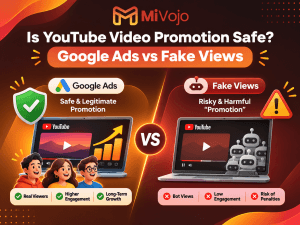
This is different from purchasing automated views or artificial engagement.
Legitimate Google Ads campaigns are an official form of YouTube promotion.
However, there are important limitations.
Paid advertising doesn’t guarantee that viewers will subscribe, participate in future streams, or become regular members of your community.
It also doesn’t directly improve the organic recommendation ranking of your videos.
And YouTube confirms that views and watch hours generated through paid ad campaigns do not count toward YouTube Partner Program eligibility thresholds.
Promote Your Gaming Videos With MiVojo
At MiVojo, we help YouTube creators promote their videos using official Google Ads campaigns.
For gaming creators, this means you can promote eligible gameplay videos, tutorials, challenges, and stream highlights to relevant audiences using available geographic and interest-based targeting options.
Instead of relying on fake views, MiVojo focuses on legitimate advertising to introduce content to real viewers.
Whether you’ve just started your YouTube gaming channel or you’re looking for additional exposure for your latest upload, video promotion can complement your organic growth strategy.
You create the gaming moments. MiVojo helps more people discover them.
Explore MiVojo’s YouTube Promotion Packages.
- YouTube vs Twitch: A 30-Day Test for Small Streamers
Still undecided?
Instead of arguing with strangers online about which platform has the better algorithm, test what works for your content.
Here’s a simple 30-day plan.
Week | What to Do |
Week 1 | Select your main game, define your content style, and set up your channel |
Week 2 | Stream consistently and record viewer engagement |
Week 3 | Publish clips or highlights and promote upcoming streams |
Week 4 | Compare results, audience feedback, and your ability to maintain the workflow |
Track useful indicators such as average concurrent viewers, returning viewers, followers or subscribers, and engagement.
If you’re testing YouTube, also examine how your videos and Shorts contribute to channel discovery.
If you’re testing Twitch, look at the games and categories where your streams attract relevant viewers.
A fair comparison needs similar effort, content quality, and observation periods.
One amazing stream doesn’t prove that a platform is perfect.
And one disappointing stream doesn’t mean the algorithm has personally declared war on you.
Frequently Asked Questions: YouTube Live vs Twitch
Is YouTube Better Than Twitch for Small Streamers in 2026?
YouTube can be especially useful for small streamers who also publish searchable gaming videos, highlights, and Shorts.
Twitch may be a better fit for creators primarily interested in live-first communities and interaction.
Neither platform guarantees faster growth.
Is It Easier to Grow on Twitch or YouTube From Zero?
There is no universal answer.
Twitch provides category-based discovery and a dedicated live audience, while YouTube provides additional discovery routes through search, recommendations, videos, and Shorts.
Your content strategy matters as much as your platform choice.
Does Twitch Pay More Than YouTube?
Not necessarily.
Earnings depend on monetization eligibility, audience support, viewing patterns, advertising, regional factors, and the revenue-sharing terms that apply to your account.
Comparing the two platforms purely by a single average payout figure would be misleading.
Can I Stream on YouTube With Zero Subscribers?
You can generally start streaming from an eligible, verified YouTube channel using supported desktop or encoder methods without needing 50 subscribers.
However, YouTube requires at least 50 subscribers for mobile live streaming, along with other eligibility conditions.
Check the official YouTube live-streaming requirements before starting.
Can I Stream on Twitch and Upload Videos to YouTube?
Yes, subject to applicable content rights and platform agreements.
You can create YouTube highlights, tutorials, and other edited videos from footage you are permitted to use.
This can be a practical way to combine Twitch live streaming with YouTube content discovery.
Is YouTube Live Good for Gaming?
Yes. YouTube supports gaming streams through encoders, consoles, and other supported streaming methods.
It also allows creators to combine live broadcasts with long-form uploads, Shorts, and other channel content.
Should I Switch From Twitch to YouTube?
Consider switching if YouTube’s broader content ecosystem aligns better with your goals and the type of videos you want to create.
If you’ve already built a Twitch community, evaluate your audience habits before making a complete move.
You may also consider testing YouTube content while maintaining your existing Twitch presence.
Final Verdict: Should Small Streamers Choose YouTube or Twitch in 2026?
Choosing between YouTube Live and Twitch isn’t simply about finding the platform with the most viewers.
It’s about choosing an environment that fits how you create content and how you want to grow.
If your main goal is streaming regularly, interacting with chat, and building a community around live gaming sessions, Twitch remains a compelling option.
If you want to combine gaming streams with searchable tutorials, entertaining highlights, Shorts, and videos that can continue attracting attention after your broadcast, YouTube offers a flexible growth strategy.
For small streamers willing to create content beyond their live broadcasts, YouTube is particularly worth exploring.
But remember, simply choosing YouTube won’t solve your discoverability problems.
You still need interesting content, compelling titles, consistent promotion, and a reason for viewers to return.
Your platform gives you the tools. What you build with them is up to you.
And if you’re ready to introduce your gaming videos to a wider audience, MiVojo can help you explore official YouTube video promotion.
Ready to get more eyes on your gaming content?