How to Tell If a YouTube Channel Has Fake Views (and What It Means for Your Own)
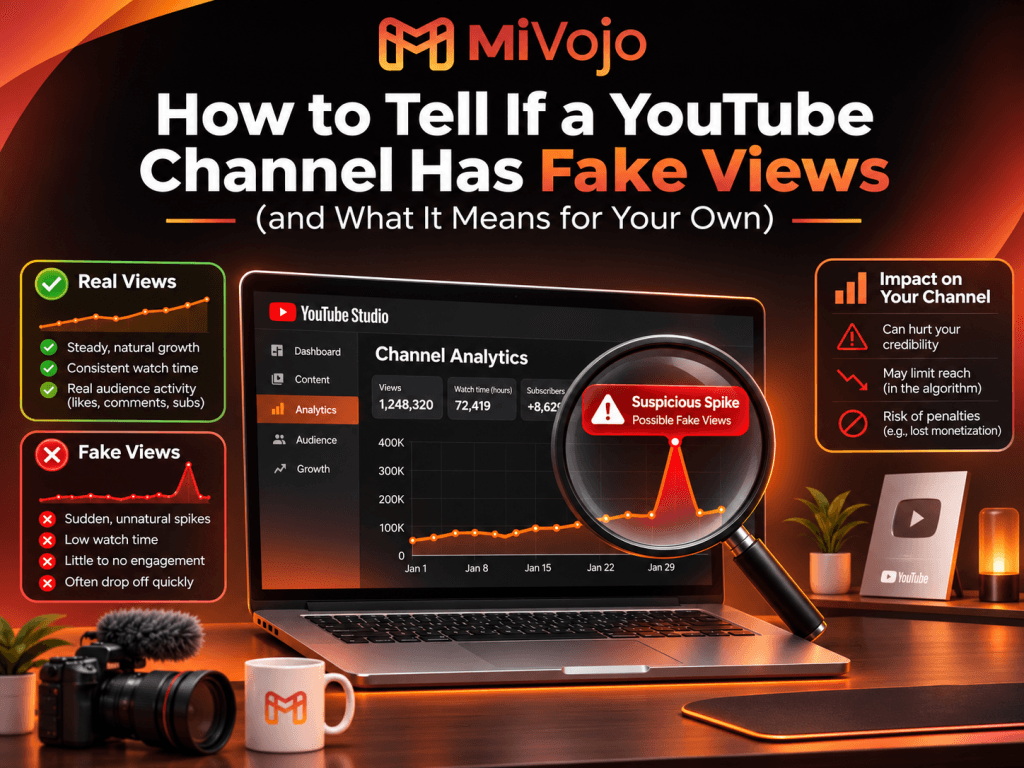
A video with 200,000 views and six comments should make you pause. So should a channel that jumps from 300 views a day to 30,000 and back to 300 within a week.
Fake views are one of the oldest problems on YouTube. They hurt viewers who are misled about what is popular, creators who are competing against inflated numbers, and the channels that buy them, often without understanding the risk.
This guide shows you seven practical signs that a channel’s views may not be real, how to check your own channel in YouTube Studio, and what fake views can mean for you if you have ever paid for a “cheap views” service.
What counts as a fake view?
A fake view is a view that does not come from a real person who chose to watch your video. The usual sources are:
- Bots and scripts that load a video automatically.
- Click farms where people or devices are paid to play videos with no interest in the content.
- View exchanges and incentivised traffic, where users watch only to get something in return.
- Hacked or low-quality traffic networks that push a video to people who never meant to see it.
YouTube’s policies prohibit artificially increasing views, and the platform works to detect and remove this activity. That matters for both sides of this topic: for spotting fake views on other channels, and for protecting your own.
7 signs a YouTube channel has fake views
No single sign proves anything. Look for several together.
1. Views are high, but engagement is almost non-existent
Real audiences like, comment, share and subscribe, even at small rates. If a video has hundreds of thousands of views and only a handful of likes and comments, something is off.
There is no universal benchmark because engagement varies a lot between niches (a relaxing music loop gets fewer comments than a tutorial). The useful move is to compare against similar videos in the same niche and size, not against a general rule.
2. The numbers jump, then drop
Organic growth usually has a shape: a video gets traction after an upload, a recommendation or a share, then slows down. Fake views often look like a wall: a huge spike on one day, then flatline, sometimes followed by a drop when YouTube removes invalid views.
3. Audience retention is strangely flat or extremely low
Real viewers drop off at different points: some leave after the intro, some at a boring section, many stay to the end. Fake traffic often shows up as uniform behaviour: everyone leaves after the same few seconds, or watch time is far too low for the number of views.
If a channel’s views keep growing but watch time per view is tiny, the views are not doing what views are supposed to do.
4. The geography doesn’t match the content
A Greek cooking channel with most of its views coming from countries that have no link to Greek language, food or diaspora is a red flag. A local business video watched mainly from the other side of the world is the same.
Owners can check this directly in YouTube Studio. Outsiders can look for clues: language of the comments, language of the video, and whether the audience makes sense.
5. Comments are generic, repeated or off-topic
Phrases like “Nice video”, “Great content, check out my channel” or the same comment from many accounts are typical of bot or exchange activity. Real comments tend to refer to something specific in the video.
6. Subscribers don’t match views (or vice versa)
There are two mismatches to watch for:
- Many subscribers but very low views on every video. This can indicate bought subscribers.
- Huge views but almost no subscribers or returning viewers. Real interest usually converts a small percentage of viewers into subscribers.
Also look at the subscriber list if you own the channel: lots of accounts with no profile picture, default-looking names and no activity are another warning.
7. Traffic sources look wrong
In YouTube Studio, the traffic source report tells you where views came from: YouTube search, suggested videos, browse features, external websites, direct or unknown, playlists and so on. A channel whose views come overwhelmingly from “external” or “direct or unknown” sources, with almost nothing from search or suggested videos, deserves a closer look.
How to check your own channel in YouTube Studio
If you own the channel, you can do a short audit in about 15 minutes.
- Open YouTube Studio → Analytics → Reach. Look at the traffic sources for your last 28 days and for any video that suddenly grew. Do they make sense for the video?
- Check Audience → Geography (the top geographies). Do the countries match your language and topic?
- Open Engagement. Compare average view duration and average percentage viewed against your older videos. A new video with large views and a far lower retention than your normal is worth investigating.
- Compare views, likes and comments across your last 10 videos. The odd one out stands out quickly.
- Review recent subscribers and comments for patterns of generic or repeated accounts.
If something doesn’t make sense and you did not pay for it, check whether you ran any promotions, collaborations or links that could explain it before drawing conclusions.
What fake views mean for your own channel
If you have bought views from a “cheap” provider, or you are thinking about it, these are the realistic risks.
- YouTube can remove them. Invalid views can be removed from your count over time. You pay for a number that later goes down.
- They can hurt your performance signals. YouTube’s recommendations depend heavily on what viewers do: how long they watch, whether they return, whether they engage. Traffic that does none of this can dilute those signals and make your genuine videos look weaker.
- They don’t help you reach monetization. YouTube’s Partner Program requires real, qualified public watch time. YouTube is also raising the bar for new applicants to 8,000 watch hours from February 1, 2027. Fake views will not help you get there, and artificial inflation can put your eligibility at risk.
- They can put your channel in policy trouble. Policies against artificially boosting views, subscribers and engagement exist for a reason, and enforcement can range from content removal to channel action.
- They make your numbers useless. If part of your audience is fake, you can’t tell which topics, thumbnails or titles really work.
Real promotion vs fake views: how to tell the difference
Not all paid growth is the same. The difference is who sees your video and how they got there.
| Fake views | Promotion through Google Ads |
Who watches | Bots, scripts, click farms | People shown your video as an ad |
Source in YouTube Studio | Often “external” or unclear | Shown as YouTube advertising |
Behaviour | Uniform, short, no engagement | Varies like any real audience |
Requires your password | Often yes | No, only the video URL |
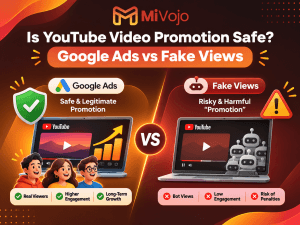
Policy position | Prohibited | An advertising method platforms provide |
Even with real promotion, there are no guarantees: viewers still decide whether to watch, like, comment or subscribe, and content quality still matters. A good provider will say this plainly, show you the audience countries and give you a campaign report you can compare with your own Studio data.
Questions to ask any promotion service
- How exactly are views delivered (which platform)?
- Do you need my password or channel access?
- Where will the viewers be located, and can I choose countries?
- Will I be able to see the traffic in my YouTube Analytics?
- What do you not guarantee (subscribers, likes, monetization)?
If the answers are vague, or the price per thousand views is far below what real advertising costs, assume the views are not real.
What to do if you suspect your channel has fake views
- Stop buying from that provider. Don’t keep feeding the problem.
- Don’t panic-delete everything. Document the problem with screenshots of your analytics.
- Focus on real signals: better thumbnails and titles, a stronger first 30 seconds, consistent uploads.
- Restart with real, targeted exposure. Showing your best video to the right country and interest group tells you quickly whether your content resonates.
Frequently asked questions
Can you see if someone else’s YouTube channel has fake views?
Not with certainty. You can only look for patterns: weak engagement, strange spikes, mismatched comments and audience. Only the channel owner can see the real analytics.
Does YouTube remove fake views?
YouTube says it works to detect and remove invalid traffic, so view counts can change over time. Treat any number you paid for as temporary if the source was not real.
Is promoting a video with Google Ads the same as buying fake views?
No. Ad-based promotion shows your video to real people through an advertising platform. Fake views come from bots or click farms and violate platform policies.
Can fake views get my channel banned?
Artificially inflating views, subscribers or engagement violates YouTube’s policies and can lead to action against content or channels. The risk depends on the case and how it is handled.
Will real promotion guarantee subscribers or monetization?
No reputable provider can guarantee that. Promotion can increase visibility, but viewers decide whether to watch and subscribe, and monetization depends on YouTube’s requirements.
Grow with real viewers
If you want more people to see your video without risking your channel, MiVojo promotes your YouTube video through official Google Ads campaigns. No bots, no password, and you can follow the results in your own YouTube Analytics.
- Worldwide Promotion for broad exposure, starting from €20.90.
- Targeted Promotion to choose countries and audience interests, starting from €32.90.