How to Get More Viewers on YouTube Gaming Streams in 2026 (Even With Zero Subscribers)
You’ve spent hours setting up your gaming stream. Your microphone sounds great, your gameplay is smooth, your RGB lights are doing their best to make you look like a professional streamer, and you’re finally live on YouTube.
You check your viewer count.
Zero viewers.
Twenty minutes later? Still zero.
Sound familiar?
If you’re wondering how to get more viewers on YouTube gaming streams, you’re definitely not the only creator struggling to get noticed. Starting a gaming channel without an established audience can feel like hosting an amazing party and forgetting to send the invitations.
The good news is that you don’t need thousands of subscribers to start building an audience. However, you do need a strategy that helps people discover your content, gives them a reason to click, and encourages them to return.
In this guide, we’ll explore practical ways to grow your YouTube gaming channel in 2026, attract your first live viewers, and turn your streams into content that continues working for you even after you’ve logged off.
Why Is Nobody Watching Your YouTube Gaming Streams?
Before discussing how to attract more viewers, let’s understand why your gaming streams might not be getting much attention.
According to YouTube’s official explanation of its recommendation system, recommendations are personalized based on viewer interests and how people respond to content.
YouTube considers signals such as whether viewers choose to watch a video, how long they continue watching, and whether they appear satisfied with the experience.
This means that simply going live doesn’t guarantee an audience.
A new streamer might struggle because:
- Their channel has little established viewership.
- Their titles and thumbnails don’t clearly communicate what makes the stream interesting.
- They’re competing with creators who already have loyal communities.
- They haven’t promoted their upcoming streams.
- Their content doesn’t give new viewers an obvious reason to stay.
None of this necessarily means their content is bad.
It means there is a gap between creating content and getting that content discovered.
And that’s the gap we’re going to address.
- Choose Gaming Content People Actually Want to Watch
One of the biggest challenges for new YouTube streamers is deciding what to stream.
Let’s say you’re planning to play Minecraft tonight.
You could title your stream:
“Minecraft Live Stream #12”
But what does that tell a potential viewer?
Not much, unless they already know you.
Instead, imagine these titles:
- “Minecraft Hardcore: Can I Survive 100 Days Without Dying?”
- “Building an Underground City in Minecraft Survival”
- “Minecraft Survival, But Every Night Gets Harder”
These examples communicate a challenge, an objective, or an interesting experience.
The difference is important because people who don’t know you need a reason to care about your stream.
The same principle applies to Fortnite, Valorant, League of Legends, and other popular games.
Instead of choosing a broad topic such as “Valorant Live,” consider a specific angle, such as testing a new strategy, completing a ranked challenge, or helping beginners improve their gameplay.
How to Find Better Gaming Stream Ideas
Start by researching what people are already searching for.
Use YouTube Search autocomplete to explore gaming-related searches. Look at videos covering relevant challenges, tutorials, updates, and questions.
You can also use the Trends tab in YouTube Analytics, where available, to explore topics and content opportunities.
The goal isn’t to copy another streamer. It’s to identify what viewers find interesting and develop your own approach.
If Minecraft is your main game, you can also explore our guide on Minecraft YouTube Promotion: Build Your Channel Brick by Brick.
Remember, you don’t necessarily need to play the biggest game. You need to give a specific audience a compelling reason to watch your version of it.
- Optimize Your Gaming Stream Titles and Thumbnails
Your gaming stream title and thumbnail are often the first things viewers encounter.
And first impressions matter, even when your actual face is hidden behind a Minecraft helmet.
YouTube’s official thumbnail and title guidelines recommend using accurate, compelling titles and thumbnails that help viewers understand what to expect.
A successful title should communicate the subject of your stream while giving viewers a reason to click.
Examples of Better YouTube Gaming Stream Titles
Generic Title | More Engaging Alternative |
Fortnite Live | Fortnite Ranked Live: Can We Reach Unreal? |
Minecraft Gameplay | Minecraft Hardcore: One Death Ends Everything |
Valorant Stream | Valorant Ranked Grind: Trying New Agent Strategies |
League of Legends Live | Climbing Ranked in League of Legends: Live Gameplay |
These aren’t guaranteed winning titles. They’re examples of how adding a clear concept can make your content easier to understand.
Your thumbnail should complement the title rather than repeat every word.
Use a recognizable gaming visual, a clear focal point, and readable text when needed.
Avoid misleading thumbnails, exaggerated promises, or anything that suggests something happens in your stream when it doesn’t.
Getting someone to click is useful. Giving them what they expected is even more important.
- Promote Your YouTube Live Stream Before Going Live
Here’s a common mistake among beginner gaming streamers:
They start their stream and then wait for viewers to arrive.
But why wait until the stream begins to tell people about it?
YouTube’s official guide, Promote Your Live Stream, recommends sharing your streaming link at least 48 hours before going live.
It also suggests creating teaser videos and using social media to attract attention.
A Simple Pre-Stream Promotion Strategy
48 hours before going live: Schedule your YouTube gaming stream and share its link on your relevant social channels.
24 hours before going live: Publish a short teaser explaining what’s happening during the stream. Maybe you’re attempting a difficult challenge, testing a new update, or competing in ranked matches.
A few hours before going live: Remind your existing audience about the event.
During the stream: Encourage relevant viewers to participate in the conversation and share the event naturally.
The important word here is relevant.
Sharing a Valorant stream in a community interested in Valorant makes sense, provided the community permits promotion.
Posting the same link repeatedly in unrelated Discord servers?
That’s less of a marketing strategy and more of an efficient way to annoy the internet.
For additional promotion ideas, read our 10 Ways to Promote YouTube Videos in 2026.
- Create YouTube Shorts From Your Best Gaming Moments
A three-hour gaming stream might contain several moments that could become entertaining standalone videos.
Maybe you pulled off an unbelievable comeback.
Maybe your teammate made the worst decision in gaming history.
Or maybe you accidentally destroyed the Minecraft house you spent the entire weekend building.
Painful? Yes. Potentially entertaining? Also yes.
Instead of letting those moments disappear inside a lengthy stream recording, turn them into YouTube Shorts.
Shorts give you another format for presenting your gaming content to potential viewers.
What Gaming Moments Work Well as Shorts?
Look for moments that make sense even to someone who hasn’t watched the full stream:
- Unexpected wins or dramatic losses.
- Funny reactions and memorable fails.
- Useful gaming tips and tricks.
- Impressive plays or unusual strategies.
- Short clips demonstrating a new game feature.
Create a clear opening, keep the clip focused on one moment, and avoid unnecessary introductions.
You can also use YouTube’s related-video feature, when eligible, to help viewers move from a Short to other content on your channel.
Importantly, YouTube doesn’t officially favor one video format over another. Its search and discovery guidance explains that recommendations depend on performance and viewer preferences.
So don’t assume that uploading Shorts will automatically increase your live stream viewers.
Instead, use Shorts as another opportunity to introduce your content, test ideas, and encourage interested viewers to explore your channel.
- Give Viewers a Reason to Stay During Your Gaming Streams
Attracting viewers is only part of the challenge.
The next question is: Why should they keep watching?
Imagine joining a gaming stream where the creator is completely silent for ten minutes.
Unless something extraordinary is happening on screen, you might leave.
Now imagine joining a stream where the creator is explaining their strategy, reacting to unexpected moments, answering chat questions, and building anticipation around an upcoming challenge.
The experience feels different.
This doesn’t mean you need to talk nonstop.
It means your stream should offer something beyond gameplay alone.
Practical Ways to Improve Viewer Engagement
Explain what you’re trying to accomplish. If you’re attempting a challenging boss fight or climbing the ranked ladder, let viewers understand the objective.
Welcome people naturally when they participate in chat, and ask questions that encourage conversation.
Create recurring segments or challenges that your audience can look forward to.
And pay attention to pacing. Long periods of inactivity may be less engaging for viewers who don’t already know you.
According to YouTube’s content performance guidance, appeal, engagement, and satisfaction are important components of how content performs in recommendations.
Your goal isn’t just to increase the viewer counter.
It’s to make people genuinely enjoy spending time on your channel.
- Create a Consistent YouTube Gaming Stream Schedule
If viewers enjoy your gaming stream but never know when you’ll be live again, returning becomes harder.
Consistency helps your audience develop expectations.
YouTube’s official live streaming schedule recommendations emphasize maintaining a schedule that’s both consistent and sustainable.
You don’t need to stream seven days a week to establish a routine.
For example, you might stream Minecraft every Tuesday evening and Valorant every Friday.
Having recognizable streaming days can help viewers understand what to expect.
As your channel grows, use the When your viewers are on YouTube report in YouTube Analytics, when sufficient data is available, to make more informed scheduling decisions.
And don’t worry about finding a magical posting hour that supposedly unlocks the algorithm. YouTube says publication time isn’t known to determine long-term video performance.
Consistency should serve your viewers and your schedule, not become another source of stress.
- Turn Your Gaming Streams Into Long-Form YouTube Videos
Your stream shouldn’t necessarily stop delivering value when you click “End Stream.”
A single gaming session can become multiple pieces of content.
For example, a three-hour Minecraft stream might give you:
- A 10-minute highlights video.
- A tutorial explaining a useful building technique.
- Two or three entertaining Shorts.
- A standalone video featuring the most exciting challenge.
These videos can serve different audiences.
Some people prefer watching live gameplay. Others would rather watch a short, edited version of the best moments.
YouTube also recommends organizing live stream archives and highlights into playlists and keeping suitable archives public to improve opportunities for discovery.
This gives you another important advantage: your content can continue attracting viewers even when you’re offline.
Instead of depending entirely on live attendance, you’re building a library of gaming content that new viewers can explore.
And when they enjoy those videos, they have a reason to check out your next stream.
- Use YouTube Analytics to Understand Why Your Streams Aren’t Growing
If you want to get more YouTube live stream viewers, you need to understand what’s actually happening on your channel.
Fortunately, YouTube Studio provides useful data.
According to YouTube’s official live analytics guide, creators can analyze impressions, click-through rate, views, average view duration, and traffic sources.
Here’s how to interpret these metrics.
Metric | What It Can Tell You |
Impressions | How often your stream thumbnail is shown on eligible YouTube surfaces |
Click-through rate | Whether viewers are choosing your stream after seeing the thumbnail |
Average view duration | How long viewers typically watch |
Traffic sources | How viewers discover your stream |
Peak concurrent viewers | Your highest simultaneous viewership during the stream |
Suppose your stream gets impressions but very few clicks.
Your title or thumbnail might need improvement.
If viewers click but leave quickly, investigate whether the stream delivers on its title, the opening experience, and its overall pacing.
If your content performs reasonably well among viewers but receives limited exposure, you might explore new topics, additional distribution channels, or promotion.
Avoid treating one metric as the complete explanation. Compare similar streams over time and look for patterns.
- Promote Your Gaming Videos With Google Ads
Organic growth is important, but it isn’t the only way to introduce your gaming content to new viewers.
If you’ve created an entertaining gameplay video, a polished highlight compilation, or a particularly strong gaming challenge, paid YouTube promotion can help you reach additional audiences.
Google Ads allows advertisers to promote eligible YouTube videos, using targeting options depending on the campaign type.
For example, a creator publishing League of Legends content may want to reach viewers interested in similar gaming topics.
The objective is to put relevant content in front of people who may genuinely want to watch it.
Can You Promote Gaming Videos Without Buying Fake Views?
Yes.
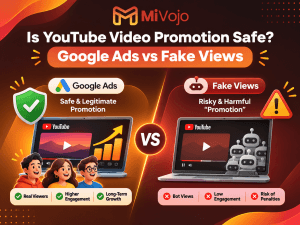
Official advertising through Google Ads is different from purchasing artificial engagement generated by bots.
YouTube confirms in its official Promote documentation that views and subscribers obtained through legitimate Promote campaigns are authentic.
However, paid promotion doesn’t guarantee subscribers, organic recommendations, or future live stream attendance.
YouTube also explains that ad campaigns don’t directly improve a video’s organic recommendation performance.
And here’s an important distinction if you’re working toward monetization: watch hours and subscribers gained through advertising campaigns don’t count toward YouTube Partner Program eligibility thresholds.
That doesn’t mean advertising has no value. It means you should use it for the right objective: introducing your content to new audiences.
How MiVojo Helps Gaming Creators Reach More Viewers
At MiVojo, we help creators promote their YouTube videos through official Google Ads campaigns.
Instead of relying on fake views or automated traffic, MiVojo focuses on legitimate video promotion with options for geographic targeting and relevant audience interests.
Whether you’re promoting your latest gameplay highlights, gaming tutorials, or an edited stream recap, you can choose a promotion package that suits your goals.
You can also explore our guide on League of Legends YouTube Promotion for a gaming-specific example.
Want more gamers to discover your videos?
Explore MiVojo’s YouTube promotion packages and give your next gaming upload an opportunity to reach a wider audience.
- A Simple 30-Day YouTube Gaming Channel Growth Plan
Now that you understand the basics, let’s turn everything into a manageable plan.
You don’t need to overhaul your entire channel overnight.
Start with four weeks of focused improvements.
Week | Your Main Focus |
Week 1 | Choose a gaming niche, research stream ideas, and improve your titles and thumbnails |
Week 2 | Establish a streaming schedule and promote your streams in advance |
Week 3 | Publish highlights and Shorts from your streams |
Week 4 | Review analytics, identify stronger content formats, and refine your promotion strategy |
Try to establish a few measurable goals.
For example, track whether more people are discovering your videos, whether your average view duration improves, and whether viewers are returning to future streams.
Don’t judge the entire strategy by one stream.
Channel growth often requires experimentation, and what works for a Minecraft creator might not work the same way for a competitive Valorant streamer.
The goal is to learn what your audience responds to and keep improving.
Frequently Asked Questions About Getting More YouTube Gaming Viewers
Can You Get Viewers on YouTube Live With Zero Subscribers?
Yes. Having zero subscribers doesn’t prevent people from discovering your public YouTube live streams.
YouTube Search, recommendations, external sharing, and other discovery opportunities can introduce your content to viewers who haven’t subscribed.
However, discoverability isn’t guaranteed. Clear topics, compelling presentation, and consistent promotion can help create more opportunities for people to find your content.
How Do Small Gaming Streamers Get Their First Viewers?
Start with specific gaming topics, optimize stream titles and thumbnails, promote scheduled streams, and turn strong moments into standalone videos or Shorts.
Focus on attracting people genuinely interested in the games you play rather than chasing random traffic.
How Often Should You Stream on YouTube to Grow?
There is no universally ideal streaming frequency.
Choose a consistent schedule you can maintain while producing enjoyable content. Review your audience’s response and adjust over time.
Streaming more frequently isn’t automatically better if quality and engagement suffer.
Is YouTube Better Than Twitch for Beginner Gaming Streamers?
Both platforms offer live streaming, but the best option depends on your audience, content strategy, and goals.
YouTube allows creators to combine live streams with long-form videos and Shorts on the same channel, which can be useful for developing multiple content discovery opportunities.
That doesn’t guarantee faster growth than Twitch, but it gives gaming creators different formats to experiment with.
Do YouTube Gaming Live Streams Count Toward Watch Hours?
Eligible public live streams can contribute to qualified public watch hours when they meet YouTube’s requirements, including being converted to video-on-demand content.
Unlisted, deleted, or non-converted streams don’t qualify. Watch time generated through advertising campaigns also doesn’t count toward YouTube Partner Program eligibility.
For more details, read the official YouTube Partner Program eligibility requirements.
Can Google Ads Help a Small Gaming Channel Grow?
Google Ads can help promote eligible gaming videos to additional viewers.
It doesn’t guarantee long-term channel growth, and paid advertising doesn’t directly boost organic recommendations.
The strongest approach is to combine relevant promotion with content that gives people a reason to return.
Final Thoughts: Your Gaming Channel Needs More Than Great Gameplay
Getting more viewers on YouTube gaming streams in 2026 isn’t about discovering a secret algorithm trick.
It’s about creating content people want to watch, helping them discover it, and giving them a reason to come back.
Start by choosing better stream topics. Make your titles and thumbnails more compelling. Promote upcoming streams, publish highlights, engage with your audience, and learn from your analytics.
And remember, starting with zero subscribers doesn’t mean you’re stuck there.
Every gaming creator has to start somewhere.
You handle the epic gaming moments. Let MiVojo help more people discover them.